Showing posts with label seam. Show all posts

Tuesday, September 16, 2008

Developing portlets with the JBoss Portlet Bridge

To celebrate the latest Beta 4 release of the JBoss Portlet Bridge, I have written the final article in the three part series titled "Developing Portlets using JSF, Ajax, and Seam" published on infoq.com.
I tried to write each article in a easy to understand, get straight-to-the-point approach. The tutorials use maven archetypes and cargo configurations that allow all readers, novice or expert, to get up and running without having to worry about *any* configurations or reading further documentation. My focus was strictly for the user to input only two or three commands and have everything working without needing to cross reference a user guide or post any questions on the forums while working through the tutorials. Hopefully that will be your situation ;-)

All 3 articles can be found on the infoq site via the following links:
This is a great way to get started quickly developing portlets with JSF, RichFaces, and the Seam Framework.

To learn more about the JBoss Portlet Bridge visit the project page.

Thursday, April 10, 2008

JBoss Portlet Bridge Beta2 Released

Supports:
  • JBoss Portal 2.6.4
  • Seam 2.0.2.CR1
  • RichFaces 3.2.0.GA (with exception of upload component)
  • JSF 1.2
This release of the bridge has quite a few bug fixes and enhancements:
  • Portlet EL Variable support
  • New SeamIdentity Bridge Extension: instant SSO between your Seam application and your JBoss Portal server by a simple dependency in your pom
  • RichFaces Maven Archetype
  • Removal of PortalStateManager configuration
  • More documentation

EL Variable Support

portletConfig: object of type javax.portlet.PortletConfig

sessionPortletScope: mutable Map containing PortletSession attribute/values at PORTLET_SCOPE.

sessionApplicationScope: mutable Map containing PortletSession attribute/values at APPLICATION_SCOPE.

portletPreferenceValue: immutable Map containing the set of portlet preferences where the key is the name of the preference and the value is the first portlet preference value from the (potential) set of values.

portletPreferenceValues: immutable Map containing the set portlet preferences where the key is the name of the preference and the values are the set of this portlet preference's values.


SeamIdentity Bridge ExtensionJust add the following dependency to your JBoss Seam (Maven) project for SSO between JBoss Portal and Seam applications.
<dependency>
<groupid>org.jboss.portletbridge.extension.seam</groupid>
<artifactid>PortalIdentity</artifactid>
<version>1.0.0.B2</version>
</dependency>
RichFaces Maven Archetype
This is the new Beta2 release of the RichFaces archetype - only a few settings are different from the previous snapshot release.
mvn archetype:create
-DarchetypeGroupId=org.jboss.portletbridge.archetypes
-DarchetypeArtifactId=richfaces-basic
-DarchetypeVersion=1.0.0.B2
-DgroupId=org.whatever.project
-DartifactId=myprojectname
-DremoteRepositories=http://repository.jboss.org/maven2/

Removal of PortalStateManager configuration
The following is no longer needed in the faces-config.xml
 <state-manager>
org.jboss.portletbridge.application.PortalStateManager
</state-manager>
Visit the Portlet Bridge project page for more details.

Thursday, February 14, 2008

JBoss Portlet Bridge 1.0.0 Beta Released!

Thanks to the collaboration of the JBoss RichFaces, Seam and Portal teams, we are happy to announce an initial beta release of JBoss Portlet Bridge.
The JBoss Portlet Bridge is an implementation of the JSR-301 specification to support JSF within a portlet and with added enhancements to support other web frameworks. Currently the bridge supports any combination of JSF, Seam, and RichFaces to run inside a portlet.

The following is supported with JBoss Portlet Bridge 1.0.0.B1 Download
  • You can download the portlet bridge binaries here, which contain the required jars along with a deployable EAR file. The EAR is the Seam Booking Demo which uses both RichFaces and Seam.

Deploy

  • copy the ear file from example/seamEar.ear to JBoss_Home/server/default/deploy and start the server.

Test Drive

  • You should see a SeamBooking tab with the official JBoss Seam Booking Demo.
Setup and Configuration
  • Check out the configuration examples here.
Live Demo
  • The Seam Booking and RichFaces component demos can be viewed here.
All information to get up and running with configuration options for any combination of the frameworks mentioned above can be found on the wiki.

JBoss World day 1

Yesterday was the first JBoss World day.

I had the chance to go on stage during the keynote, invited by our CTO Sacha Labourey to make a little (but working) demo of JBoss Portal 2.6.4. My goal was to show to the audience the current JBoss Portal product and to get the following message out:

  • JBoss Portal 2.6.4 just released
  • JBoss Portlet Container 2.0 Beta, an implementation of the Portlet 2.0 spec (will be released tomorrow, more to come, stay tuned)
  • JBoss Portlet Bridge to make the integration of JSF/RF/Seam apps in JBoss Portal
Right now I am sitting at Thomas session about JBoss Portal. 

My talk is tomorrow morning at 9 AM and you don't want to miss it if you are present and want to hear about Portlet 2.0. I hope to see you there!

Thursday, November 15, 2007

Seam 2.0 Portlet Example

Update - This post is deprecated. Please see this article about the new JBoss Portlet Bridge.
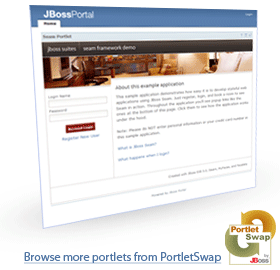

We are happy to announce a "technology preview" of the JBoss Portal Seam 2.0 portlet. Thanks to the hard work of the JSR-301 Expert Group we are able to integrate the Seam Booking Example via a portlet. However, there are still some limitations and RichFaces is currently not integrated.
For the booking example, we have replaced RichFaces components with standard JSF RI 1.2 components.
We made this example beyond easy to get up and running and it shouldn't take more than a few minutes to have it running locally on your machine.

Prerequisites
  • Install latest version of Maven 2.x
  • Checkout the project using a subversion client from http://anonsvn.jboss.org/repos/portletbridge/trunk/examples/seam/booking
  • I used a Mysql database for this demo. You can use any of the DBs that Jboss Portal supports but for the sake of following along with this tutorial, I recommend downloading and starting a Mysql instance on your local machine.

Local Setup
Once you have Mysql started, login to the mysql console as root and run the following:
create database jbossportal;

GRANT ALL PRIVILEGES ON jbossportal.* TO 'jbossportal'@'localhost' IDENTIFIED BY 'jbossportal';

That's it!

Now, navigate to the root of the SeamBookingPortlet application and run
mvn install

Once the build is finished and successful, navigate to SeamBookingPortlet/ear and run
mvn cargo:start

*Note - this will take a few minutes. This downloads JBoss AS 4.2.2.GA along with the core installation of JBoss Portal 2.6.2. The download was around 100MB, but I removed as much as possible and got it down to 40MB. Once this is finished and the server is started, do yourself (and our servers ;) a favor and copy the zip file from SeamBookingPortlet/ear/target/installs/jboss-4.2.2.GA-2.6.2.zip to somewhere outside of this directory (anywhere on your machine) and open the ear/pom.xml to point to your new local file location. This can be changed at the bottom of the pom.xml file.

Now you are ready to deploy the SeamBookingDemo ear to your running JBoss server. Open a new console window and navigate to the same directory you were in SeamBookingPortlet/ear and run
mvn cargo:deploy

After you see that the Seam application has deployed. Open a new window/tab and visit http://localhost:8080/portal. You should see the Seam Booking application in a portlet window.

This example uses the core installation of JBoss Portal 2.6.2, Seam 2.0 GA, and the JSR-301 Bridge from MyFaces. The code for the booking demo is unmodified and a direct port from the Seam cvs repository. The modifications made to the JBoss AS download are minimal. First, I installed the core JBoss Portal 2.6.2 ( How to install). Then I added the datasource files for both Seam Booking and Portal. Finally I added the mysql driver to the server lib folder. That is all the changes that were made from the 4.2.2 GA release (other than I deleted around 50MB of unneeded files for this demo).

Thanks to the JSR 301 specification it is now possible to make Seam applications work in a Portlet environment. The next challenge for us, is to get Rich Faces components working in Seam applications in the same Portlet environment.